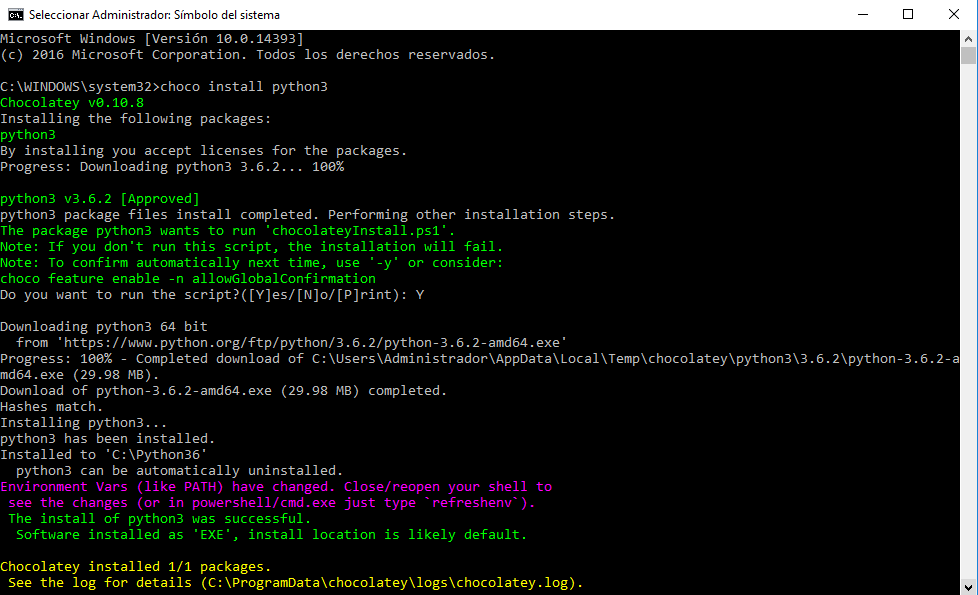
Windows:
If we have choco installed, we can run cmd as administrator and execute the command:
choco install python3
Libraries:

- numpy for basic numerical computation http://www.numpy.org/
- matplotlib for visualization, http://matplotlib.org/
- scipy for scientific computation, http://www.scipy.org/
Install Python:
To install Python, we will enter in the terminal (powershell):
- choco install python3
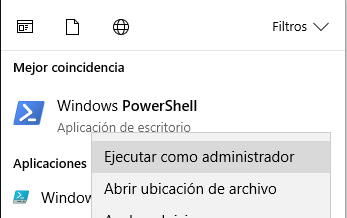

And it will be installed.
Install numpy:
It will be enough to open powershell (a new one, not the one we have open from the installation and without administrator privileges), and we will enter:
- python -m pip install numpy

It should install automatically.
Install matplotlib:
It will be enough to open powershell (a new one, not the one we have open from the installation and without administrator privileges), and we will enter:
- python -m pip install matplotlib

It should install automatically.
Install scipy:
It will be enough to open powershell (a new one, not the one we have open from the installation and without administrator privileges), and we will enter:
- python -m pip install scipy.
It should install automatically.
Keep in mind that pip does not work well on Windows because pip's standard package index site, PyPI, does not yet have Windows support for some packages, such as SciPy.