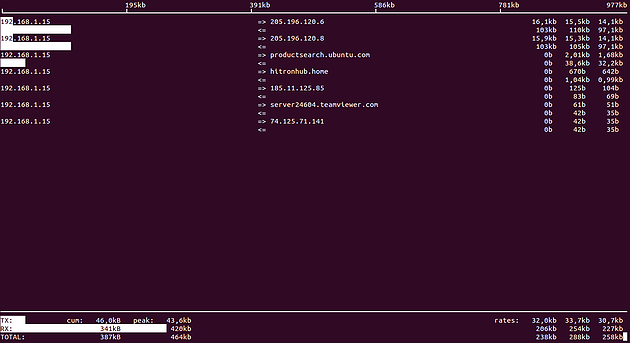
I'll show you two tools to check the network promptly to help us to make a measurement bandwidth consumption that is having to evaluate potential bottlenecks in the network.
OPTION 1: iftop
It's an interesting alternative for terminal, as always tested on Ubuntu Linux.
To install it enough just to make the classic:
aptitude install iftop
The command has a few parameters to play with making a iftop man, will have a long list, but I'll show you some examples:
To see your network interface you can write:
ifconfig -a
To see what passes for the network interface wlan0 you need write:
iftop -i wlan0
Scan IP range and interface wlan0:
iftop -F 192.168.1.0/255.255.255.0 -i wlan0
If you press the h key when we are seeing the details gives us many more options.

OPTION 2: Iptraf
It's another alternative with a little more graphic and a small menu that meets their homework very well.
Installation is very simple:
aptitude install iptraf
To run the program:
iptraf
